
Website images
Use AVIF when modern browsers are your main audience and smaller transfers can improve page loading. Test your own images because results vary by content.
Convert PNG to AVIF directly in your browser. AVIF can create smaller files in many cases, supports transparency, and keeps your images on your device.
Drop your PNG images here, or browse
🔒 100% on-device processing • Images never leave your computer
Convert one PNG or a batch locally. The AVIF encoder loads only after you add an image.
AVIF encoding can take longer than PNG export. Files are processed one at a time to keep the page responsive.
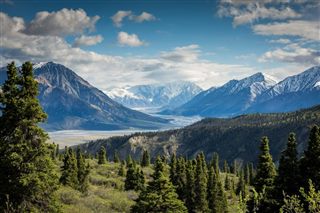
Drag the center handle to inspect the result. AVIF uses a balanced quality setting. Actual size depends on image content.
Choose, drag, or paste one or more PNG files.
The browser loads the encoder only when needed and converts files locally.
Download one result or package completed files in a ZIP.
Use AVIF when modern browsers are your main audience and smaller transfers can improve page loading. Test your own images because results vary by content.
Logos, illustrations, and UI artwork can keep transparent and semi-transparent pixels while moving to a modern web format.
AVIF can take longer to encode and older tools may not open it. Keep PNG when compatibility, lossless editing, or predictable results matter more.
| Consideration | PNG | AVIF |
|---|---|---|
| File size | Lossless; can already be efficient for some graphics | Often smaller, but not guaranteed |
| Transparency | Full alpha support | Full alpha support |
| Compatibility | Very broad | Strong in modern browsers; older software varies |
| Encoding | Fast export | Heavier and slower |
| Quality | Lossless | Lossy at the current default setting |
Keep PNG when you need pixel-exact output, the original is already very small, or the receiving software may not support AVIF.
Use AVIF when reducing web image payload is useful, modern browser compatibility is acceptable, and some lossy compression is okay.
In one local test, a 19.5 KB PNG became a 10.9 KB AVIF, about 44% smaller. This is one example, not a guarantee. Other images can show smaller gains, and some PNG files may produce a larger AVIF.
Yes. AVIF supports an alpha channel, so transparent and semi-transparent areas in a PNG can remain transparent after conversion. This is useful for logos, icons, cut-out product images, and graphics with soft edges or shadows. If you later convert the AVIF to JPG, transparency will be lost because JPG does not support an alpha channel.
PNG to AVIF does not make every file smaller. File size depends on image content and encoding settings. Photographs often have more room for size reduction, while simple graphics, screenshots, and already-efficient PNGs may shrink only a little — or may even become larger.
Yes. This converter preserves transparent and semi-transparent PNG pixels.
Often, but not always. It depends on the source image, its existing compression, and the encoder settings.
The default uses lossy encoding at a balanced quality setting, so inspect detailed images before replacing the original.
No. Conversion runs locally in your browser.
Yes. Files are encoded one at a time to avoid overwhelming the browser.
AVIF compression is more computationally intensive than PNG export.
Neither format is always better. PNG is lossless and broadly compatible, while AVIF can reduce file size in many cases but uses heavier encoding and may not be supported by older software.
Slightly, depending on the image. This converter uses lossy AVIF encoding, so very fine detail can change. Transparency remains supported.
Not with lossy AVIF encoding. If exact pixel reproduction matters more than file size, keep the PNG.